Training a custom named entity recognition (NER) model is easy. Getting labelled data for it is the slow part. Kiruthigaa and I put together a workflow that cuts down the manual labelling, using Label Studio for annotation and spaCy for the model.
The full notebook is on Kaggle.
The workflow
- Label about 1% of the data by hand.
- Build a vocabulary of entities from those labels.
- Use the vocabulary to pre-annotate every other row.
- Load the pre-annotations into Label Studio and correct them.
- Convert the labels to spaCy’s format and train.
Correcting a pre-filled label is much faster than labelling from scratch, and each round of corrections makes the vocabulary better for the next.
The data
The dataset is a CSV of news sentences, one per row. We used four entity types:
| Label | Meaning |
|---|---|
| PER | Person |
| ORG | Organisation |
| LOC | Location |
| TIME | Date and time |
1. Set up Label Studio
Install it in a virtual environment and start it:
pip install virtualenv
virtualenv NER_project
NER_project\Scripts\activate
pip install label-studio
label-studio
It opens in the browser at localhost:8080. Create an account, then create a project.
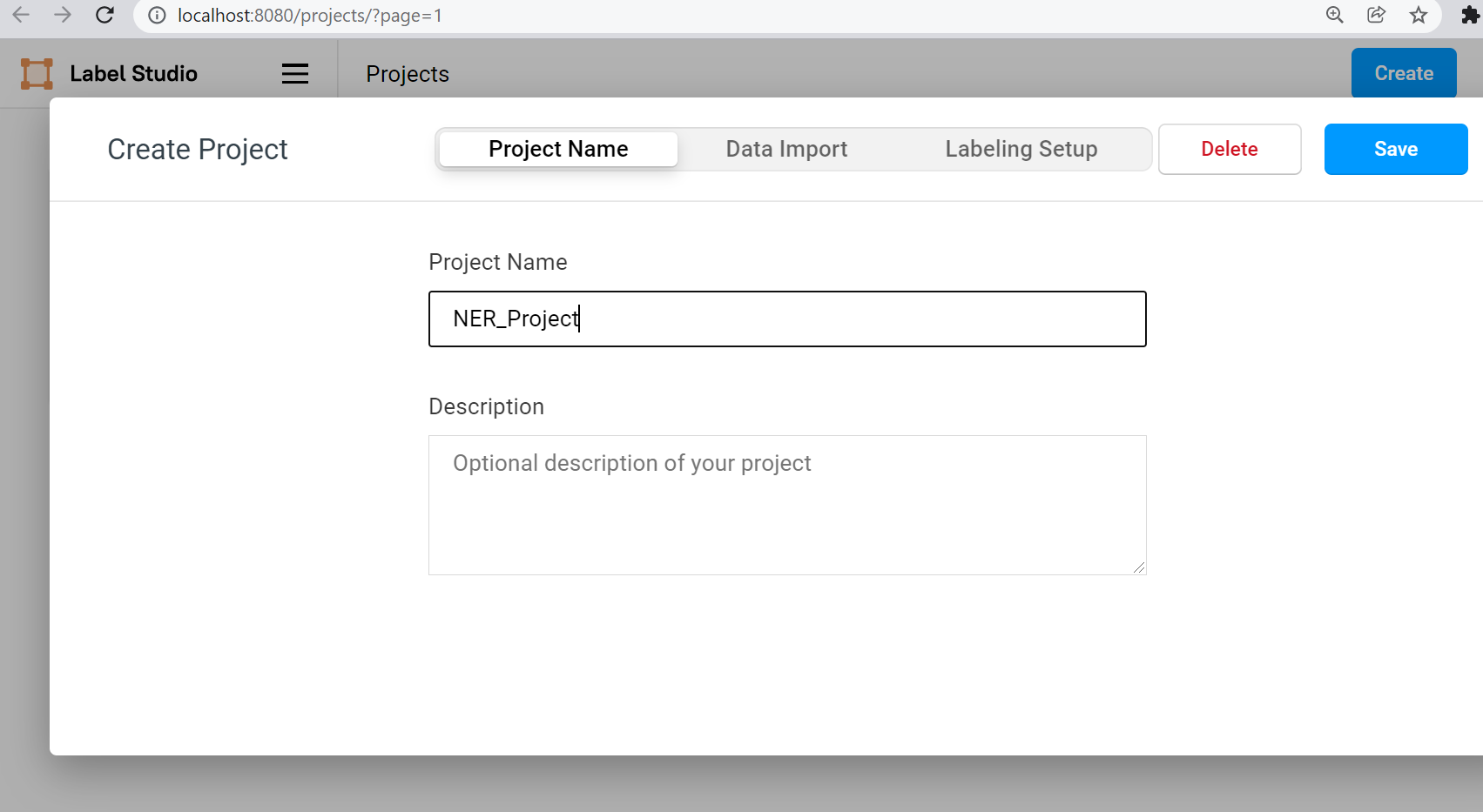
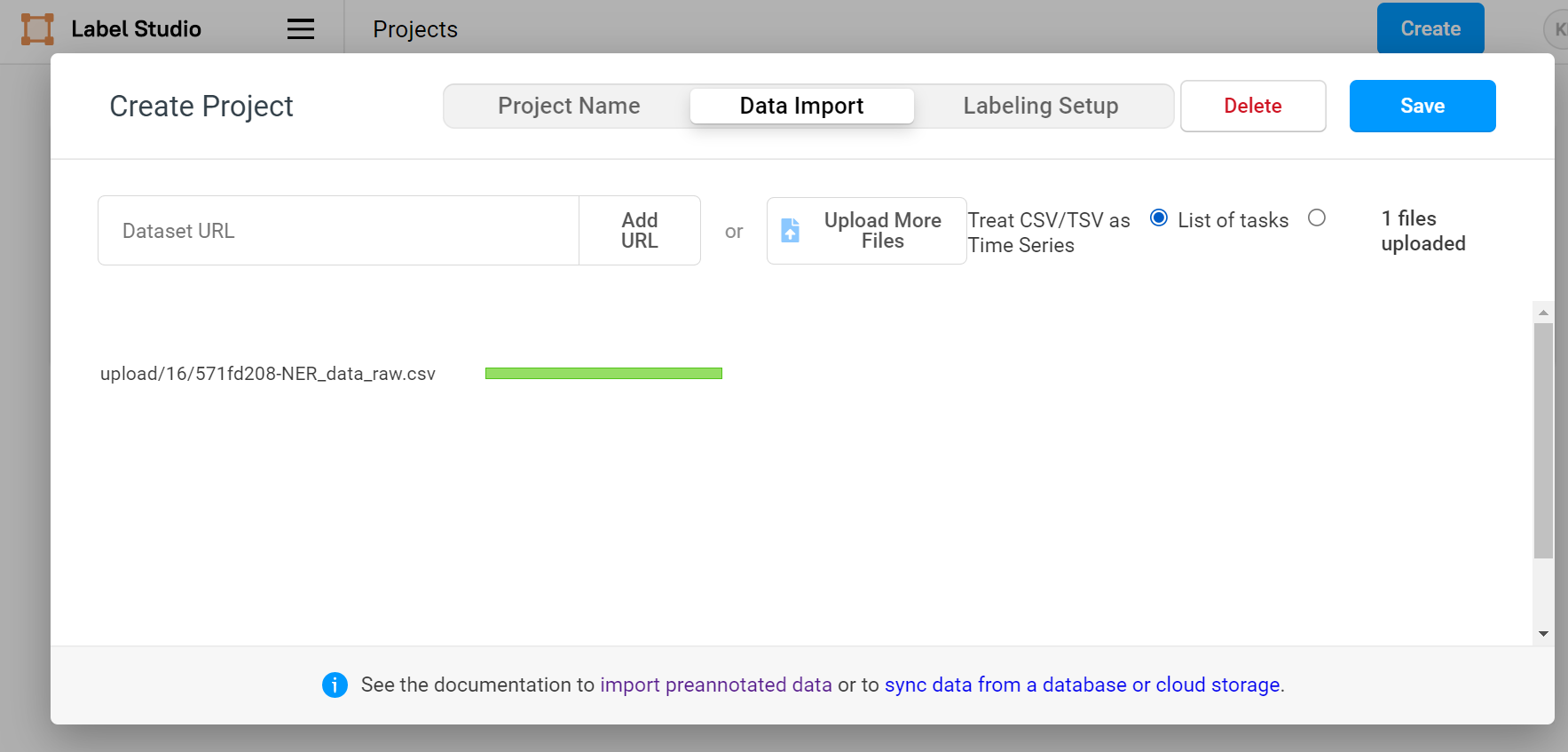
Upload the CSV and import it as a list of tasks, so each row becomes one item to label. Then add the four labels under Labeling Setup.
2. Label a small sample by hand
Label at least 1% of the rows. Select a label, then highlight the words.
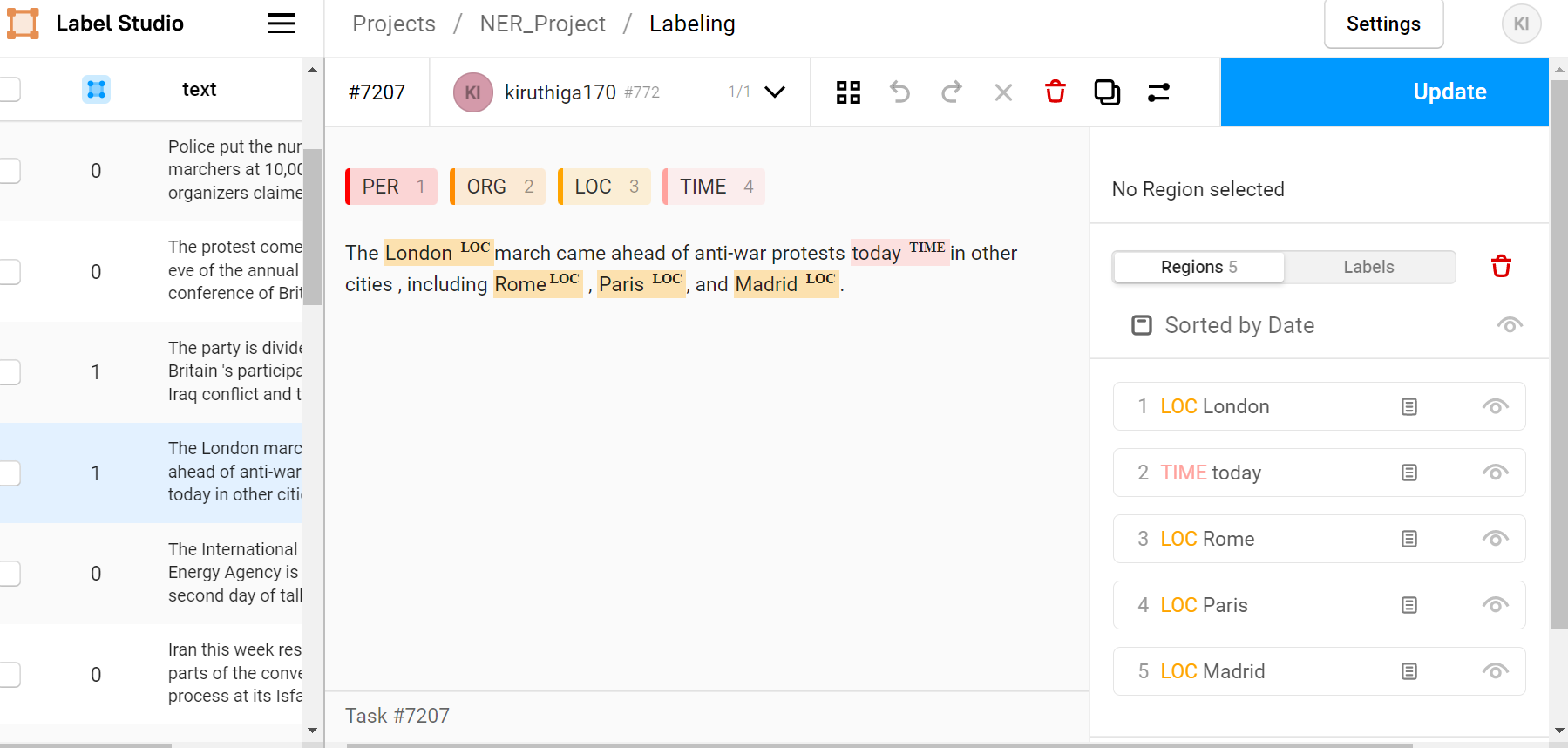
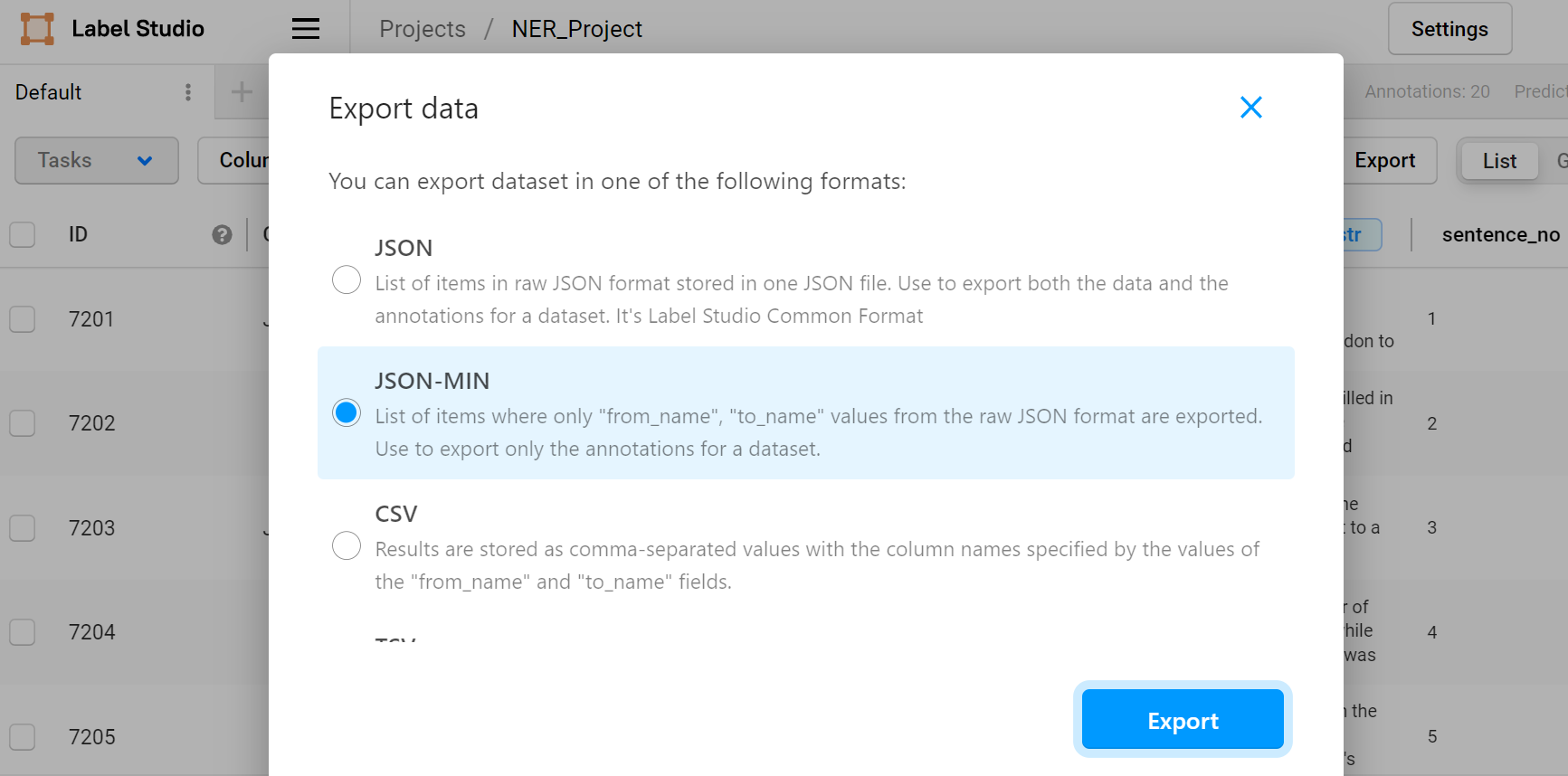
When you’re done, export the annotations as JSON-MIN. It keeps only the text and the labels, which is all we need.
3. Build a vocabulary from the sample
Read the export and collect every labelled phrase under its entity type:
import json
import pandas as pd

with open('labelled_sample.json', 'rb') as f:
    labelled = json.load(f)

entities = []
for row in labelled:
    for label in row.get('label') or []:
        entities.append([label['text'], label['labels'][0]])

labels_df = pd.DataFrame(entities, columns=['val', 'head'])
person = list(labels_df[labels_df['head'] == 'PER']['val'].str.lower().unique())
loc    = list(labels_df[labels_df['head'] == 'LOC']['val'].str.lower().unique())
time_  = list(labels_df[labels_df['head'] == 'TIME']['val'].str.lower().unique())
org    = list(labels_df[labels_df['head'] == 'ORG']['val'].str.lower().unique())
We pickled these lists, so the vocabulary can be reloaded and extended after each round of corrections.
4. Pre-annotate the rest
spaCy’s PhraseMatcher finds every vocabulary phrase in a sentence. The output is in Label Studio’s prediction format, so it can be imported straight back in:
import spacy

def annotate(text, texts_lists, tags, nlp):
    doc = nlp.tokenizer(text)
    matcher = spacy.matcher.PhraseMatcher(nlp.vocab)
    for tag, texts_list in zip(tags, texts_lists):
        matcher.add(tag, list(nlp.tokenizer.pipe(texts_list)))

    results = []
    for match_id, start, end in matcher(doc):
        span = doc[start:end]
        results.append({
            'from_name': 'label', 'to_name': 'text', 'type': 'labels',
            'value': {'start': span.start_char, 'end': span.end_char,
                      'text': span.text, 'labels': [nlp.vocab.strings[match_id]]},
        })
    return results
Run it on every row and save the result as tasks.json:
nlp = spacy.load("en_core_sci_sm")   # only used for tokenising
tags = ['person', 'loc', 'time', 'org']
tags_lists = [person, loc, time_, org]

tasks = []
for text in df['text']:
    spans = annotate(text, tags_lists, tags, nlp)
    tasks.append({'data': {'text': text},
                  'predictions': [{'model_version': 'annotation', 'result': spans}]})

with open('tasks.json', 'w') as f:
    json.dump(tasks, f)
Import tasks.json into Label Studio. Every known entity is already highlighted, so you only fix mistakes and add what the vocabulary missed. Then export as JSON-MIN again.
5. Convert to spaCy format
spaCy wants (text, {"entities": [(start, end, label)]}). One catch: spaCy rejects overlapping spans, and pre-annotation can produce them. We dropped any label whose start falls inside another label:
TRAIN_DATA = []

def import_label_studio_data(filename):
    with open(filename, 'rb') as f:
        data = json.load(f)
    for row in data:
        labels = row.get('label') or []
        spans = [(l['start'], l['end']) for l in labels]
        entities = []
        for i, l in enumerate(labels):
            others = spans[:i] + spans[i + 1:]
            overlaps = any(s <= l['start'] <= e for s, e in others)
            if not overlaps and l.get('labels'):
                entities.append((l['start'], l['end'], l['labels'][0]))
        TRAIN_DATA.append((row['text'], {'entities': entities}))
6. Train
Start from a blank English model, add an NER pipe, and train only that:
import random
from spacy.training.example import Example

nlp = spacy.blank('en')
ner = nlp.add_pipe('ner')

for _, ann in train_data:
    for ent in ann['entities']:
        ner.add_label(ent[2])

optimizer = nlp.begin_training()
for i in range(20):
    random.shuffle(train_data)
    losses = {}
    for text, ann in train_data:
        example = Example.from_dict(nlp.make_doc(text), ann)
        nlp.update([example], losses=losses, drop=0.2)
    print(losses)
7. Evaluate
spaCy’s Scorer gives precision, recall and F1, overall and per entity:
from spacy.scorer import Scorer

def evaluate(nlp, examples):
    scorer = Scorer()
    preds = [Example.from_dict(nlp(text), ann) for text, ann in examples]
    return scorer.score(preds)
For the Kaggle demo we trained on only 27 labelled sentences, so the scores are low:
| Entity | Precision | Recall | F1 |
|---|---|---|---|
| All | 0.54 | 0.44 | 0.48 |
| LOC | 0.60 | 0.75 | 0.67 |
| ORG | 0.60 | 0.38 | 0.46 |
| PER | 0.33 | 0.25 | 0.29 |
The mistakes look like what you’d expect from that little data. The model tagged “Energy Agency” as a person and “Baghdad to” as an organisation, but it got “Mahmoud Ahmadinejad” (PER), “Anbar province” (LOC) and “Royal-Dutch Shell” (ORG) right.
The notebook is there to show the pipeline, not a finished model. To get a better model, run more rows through the pre-annotate and correct loop. The labelling gets faster with each round, because the vocabulary keeps growing.